A loyalty solution is a system that records guest visits, rewards return visits, and gives the owner data about their regular customers. The Danish market in 2026 has more than eight active platforms, including Stampit, 7Stamp, Klipz, Goboblo, Stemplet, Letstamp, Stempelkort.no, kundekort.dk and MightyLoyalty, spread across five competing categories: paper cards, POS-integrated programs, native app downloads, web-apps, and wallet cards. This guide gives you an honest, category-by-category overview of how they compare in practice, what each costs, and what matters most when you choose.
The five categories of loyalty solutions
Loyalty solutions for Danish hospitality and retail businesses fall into five natural categories. Paper stamp cards are the classic starting point. Print or order a card, stamp it at the counter, and your running costs are close to nothing. The downside is equally familiar: cards disappear into jacket pockets, wear out, and you never know whether the program is actually driving return visits. You have no list of your guests and no data on repeat behaviour.
POS-integrated programs are loyalty features built directly into your point-of-sale system. The appeal is having everything in one place. The drawback is lock-in: switch till systems and you lose your loyalty data too. These solutions tend to be designed for chains rather than independent owners who want to get started quickly without waiting for vendor setup.
Dedicated app downloads are loyalty programs with a companion app guests must download from the App Store or Google Play. The barrier is high: many guests decline another download, and you lose sign-ups before the card is even active. That said, these apps can be feature-rich and suit businesses with a highly engaged, tech-savvy regular crowd.
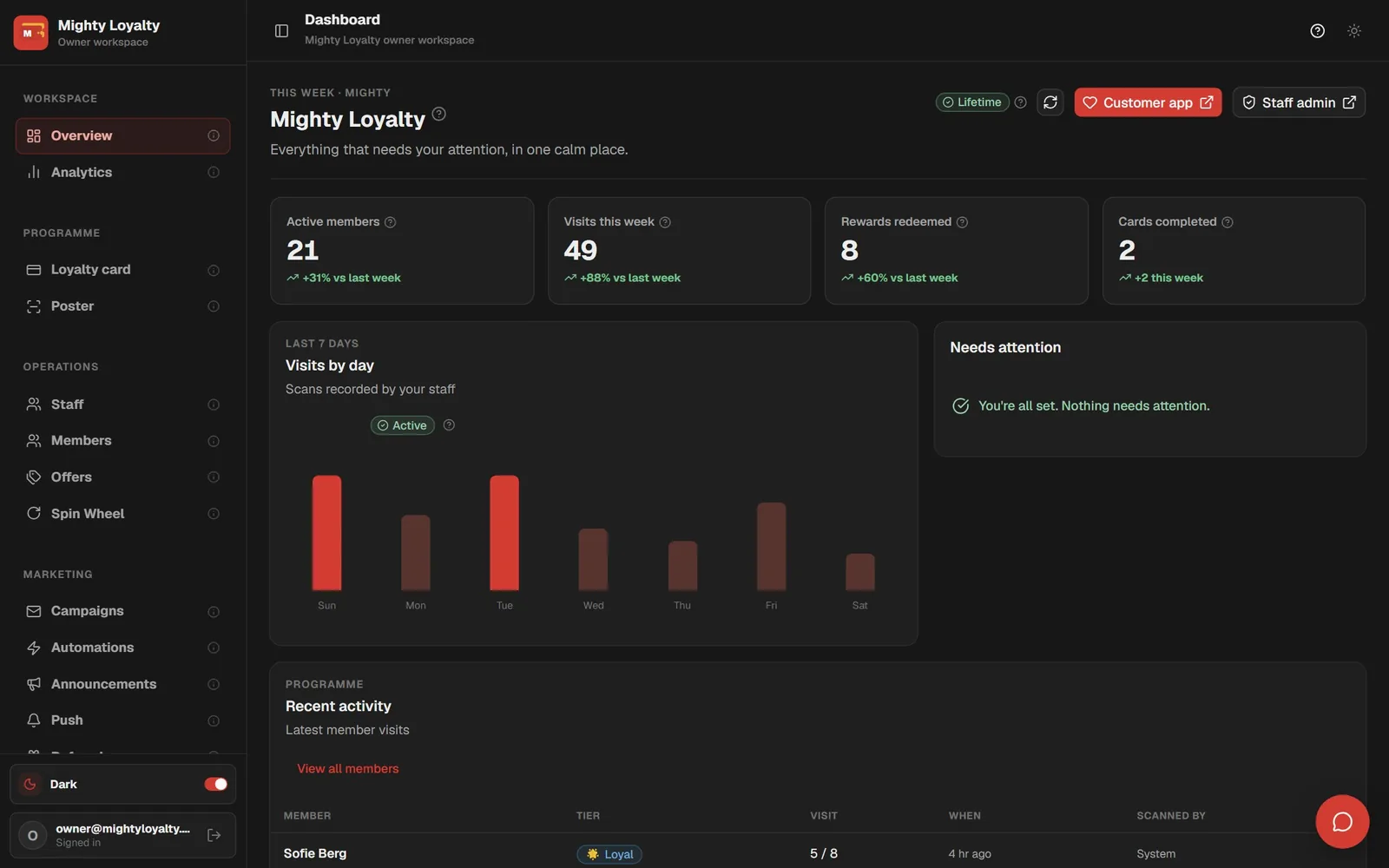
Web-apps and PWAs are the most prominent alternative right now. A guest scans a QR code and opens the loyalty card directly in their phone browser, with nothing to download. For you as the owner, management runs in a separate admin app with a dashboard, statistics, and the ability to create campaigns. Web-apps combine the low-barrier entry of a paper card with the data and flexibility normally associated with far more expensive systems. For a complete overview of what a web-app stamp card typically includes, see MightyLoyalty's stamp card app page. Our customer loyalty card guide covers the digital versus physical distinctions.
Wallet-based solutions are a category that has grown noticeably since 2024. Instead of an app or a browser, the guest adds a card directly to Apple Wallet or Google Wallet. The customer benefit is real: the card sits on the lock screen, opens with a swipe without needing internet, and can surface as a notification when the guest passes your address.
For you as the owner, the key distinction is that the card lives inside Apple's and Google's system, not your own. If you update your reward or rebrand, the delivery timeline is governed by the platform's update process, not solely by you. Apple Wallet and Google Wallet are also two separate systems with separate requirements and approval steps: a card correctly configured for iPhones requires a separate setup for Android. That is a practical constraint you do not usually encounter with a web-based solution, where a design or reward change reaches every guest immediately.
Our comparison of Apple Wallet stamp cards and the browser approach explains when each approach fits better, and what to ask a vendor before you commit.
Three questions to ask any wallet vendor
Wallet solutions are typically marketed on lock-screen visibility and no app download. Both are real advantages. But there are three questions that rarely appear in the marketing material:
Are both platforms included in the subscription? Apple Wallet and Google Wallet are two separate products with separate setups and certificates. Ask directly whether both are covered in the price, and whether a reward update propagates to both platforms automatically.
Can you export your cardholder list? Wallet standards give the platform's system control over the card's status information. Ask specifically: can you pull a full list of active cardholders with stamp history as a CSV? That answer tells you whether you own your data or the vendor does.
What is the turnaround for a design change? A web-based solution updates every guest's card in real time. A wallet card is updated through Apple's or Google's push system, and the timeline is the platform's, not yours. Ask what typically happens, and whether there is a limit on how often you can send updates.
Comparison table: five categories across four criteria
Before contacting vendors, it helps to see the five categories arranged against the factors that matter most in day-to-day use.
| Category | Guest download needed | You own data | Setup time | Offline access | Portability |
|---|---|---|---|---|---|
| Paper stamp card | None | No | Immediate | Yes | Immediate |
| POS-integrated | No | Depends on contract | Weeks | No | Hard |
| Native app download | Yes (guest's device) | Usually yes | Days to weeks | No | Moderate |
| Web-app / PWA | No | Yes | Hours to one day | Partial | Easy |
| Wallet card | No | Partly | Days | Yes | Moderate |
The download requirement is the factor that moves sign-up rates most noticeably. Offline access is a genuine advantage for wallet cards: the card is stored locally on the phone, so guests can show it in poor-signal areas without internet. Web-apps cache the page but typically need a network connection for the stamping step. Data ownership and portability go together: if you can export your data, you can move. If you cannot, you are locked in regardless of what the contract says. Our loyalty app for small business guide covers what ongoing time and maintenance a programme realistically takes.
Pricing: what to expect
What you pay depends heavily on which category you are looking at.
Paper cards cost almost nothing to run, but they carry a hidden cost: no feedback. You do not know whether the program is working, and you cannot adjust it. It is an investment without any readout.
POS-integrated programs are rarely sold as standalone products. They are typically bundled into a broader agreement, and the cost is difficult to separate from the rest of your till contract.
Apps with downloads often carry a monthly licence fee plus a setup cost. Many solutions are designed for multi-location chains and have pricing structures that do not scale well for a single café or restaurant.
Web-app solutions like MightyLoyalty are built for the independent owner. Standard costs 99 DKK per month and includes unlimited stamping, a printable QR poster, the join screen, and the owner dashboard. Pro at 249 DKK per month adds email marketing, push notifications, automations, and advanced analytics. No binding period, no setup fee, cancel in the portal. You can try all Pro features free for 14 days with no payment card before you choose a plan. Our stamp card platform pricing models comparison breaks down per-month, per-stamp, per-member, and other models side by side. Our loyalty program cost guide covers all pricing models.
Web-app versus native app in practice
The most important difference is the barrier facing the guest. A native app typically requires eight to ten steps from "see the poster" to "card active": search the app store, download, create a profile, approve permissions, open the app, find the card. A web-app requires four: scan QR code, open browser, give consent, card active.
In practice, fewer steps produce higher sign-up rates at the counter. Imagine a café switching from a paper card list of 40 guests to a web-app: with staff asking actively at the till, sign-up rates can climb significantly.
Three signs you should reconsider your current platform
Here are three concrete situations that suggest a platform change is worth investigating.
Sign-up rates have stalled. If you have been running the program for three months and the same small group is still the only one enrolled, that is rarely the staff's fault. Ask your current vendor exactly how many steps a new guest must take before the card is active: that number usually explains the stagnation.
You do not own your guest data. If you cannot export a guest list with visit history, you are in a vendor lock-in. Our guest data as a marketing channel guide explains what to collect and what to do with it.
Staff skip the stamping. A system with too many steps gets bypassed in the lunch rush. Scanning and stamping should take at most two staff actions. More than that and usage quietly drops.
Seven questions to answer before you choose
Before you book a demo or sign anything, these questions are worth having clear answers to:
1. Does it require an app download? If yes, expect a lower sign-up rate. If it only needs a QR scan, the barrier is minimal.
2. Do you own your guest data? Ask directly: can you export your guests' email addresses and visit history? Most reputable platforms say yes. Others lock you in.
3. How long does setup take? Most web-app solutions can be set up in a day. POS-integrated programs can take weeks and require technicians.
4. Can staff use it without long training? Scan and stamp is two steps. A complex staff interface means steps get skipped under pressure.
5. What happens if you want to stop? A monthly subscription you can cancel gives flexibility. A multi-year or POS-bolted contract does not.
6. Does the card work on both iPhone and Android? Wallet requires two separate configurations. Confirm both are included in the price. A web-app opens in any mobile browser with no platform-specific setup.
7. Does the card work without internet access? Wallet cards are stored locally and work offline. Web-app stamping typically needs a connection. Rarely an issue, but relevant in poor-signal venues.
Who are web-app solutions best for?
Web-app loyalty programs work best for independent owners and small chains who:
- Want to get started without waiting for IT, vendor setup, or long contracts.
- Want to own their own guest data and not be tied to a till supplier.
- Have staff who need to use the system without lengthy training.
- Want a clean, branded card that looks like their business, not a third-party platform.
They are not the right fit for large chains with dedicated IT departments. But for most cafés, restaurants, bakeries, and hair salons in Denmark, those criteria apply.
Wallet-based solutions suit businesses that want geofencing: the card surfaces on the customer's lock screen near your address. That requires location permissions and separate Apple and Google configurations. For high-footfall businesses, sign-up friction typically matters more.
Trade-specific guidance is available at our restaurant loyalty program and salon loyalty program pages.
Frequently asked questions
Is there any commitment before I start paying?
No. There is no setup fee and no binding period, and you cancel in the portal. The subscription starts at 99 DKK per month, so you know exactly what you are committing to before you begin.
What should I ask a wallet vendor before signing up?
Three things matter most: whether both platforms (Apple Wallet and Google Wallet) are included in the subscription price; whether you can export a full cardholder list and stamp history as a CSV; and what the typical turnaround is when you update a reward or change the card design. Those answers tell you more about the solution than any marketing page will.
What happens to my guest data if I switch platforms?
It depends on the platform. Most reputable solutions offer CSV export of your guest data. Always ask before signing: "Can I export my full guest list and visit history?" A clear yes gives you cover. A vague answer is worth taking seriously before you commit.