An apple wallet loyalty card stores a digital pass directly on your customer's smartphone, surfacing on the lock screen when they walk near your venue. A browser-based loyalty card opens via a QR scan with no installation at all. Both can replace your paper stamp card, but the way each is built leads to meaningfully different outcomes when it matters most: the moment a new customer decides whether to join.
How Apple Wallet loyalty cards work
Apple Wallet (and its Android equivalent, Google Wallet) is the built-in digital wallet already on most smartphones. Beyond boarding passes and payment cards, it can hold loyalty passes: a branded card with your logo, the customer's name, and a visual of earned stamps or points.
When a customer adds your loyalty pass to their Wallet, it sits on their phone indefinitely. A notable feature is that the pass can appear automatically on the lock screen when the customer is physically near your venue, using GPS geofencing. That is the primary advantage: passive visibility the customer experiences without opening anything.
Advantages:
- Pass can surface on the lock screen when the customer is nearby
- Works offline: card data is stored locally on the device
- Survives clearing the browser cache or deleting other apps
- Familiar interface for many iPhone users
Disadvantages:
- Customer must actively add the pass to their Wallet at enrollment, an extra step beyond the basic sign-up
- Design changes require syncing across all previously issued passes
- iOS and Android use separate systems (Apple PassKit and Google Wallet), meaning two integrations to maintain
- Wallet notifications are limited and require specific system permissions
How browser-based loyalty cards work
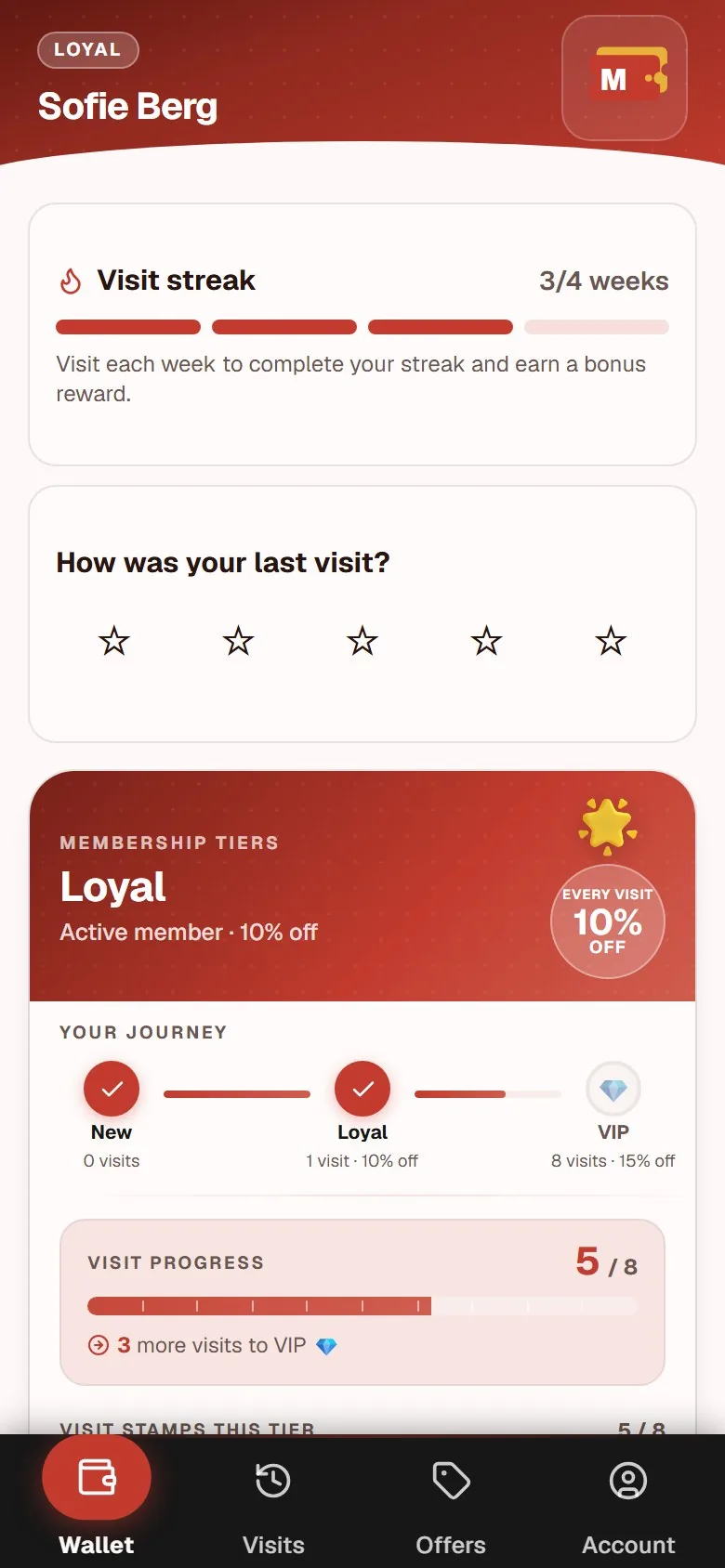
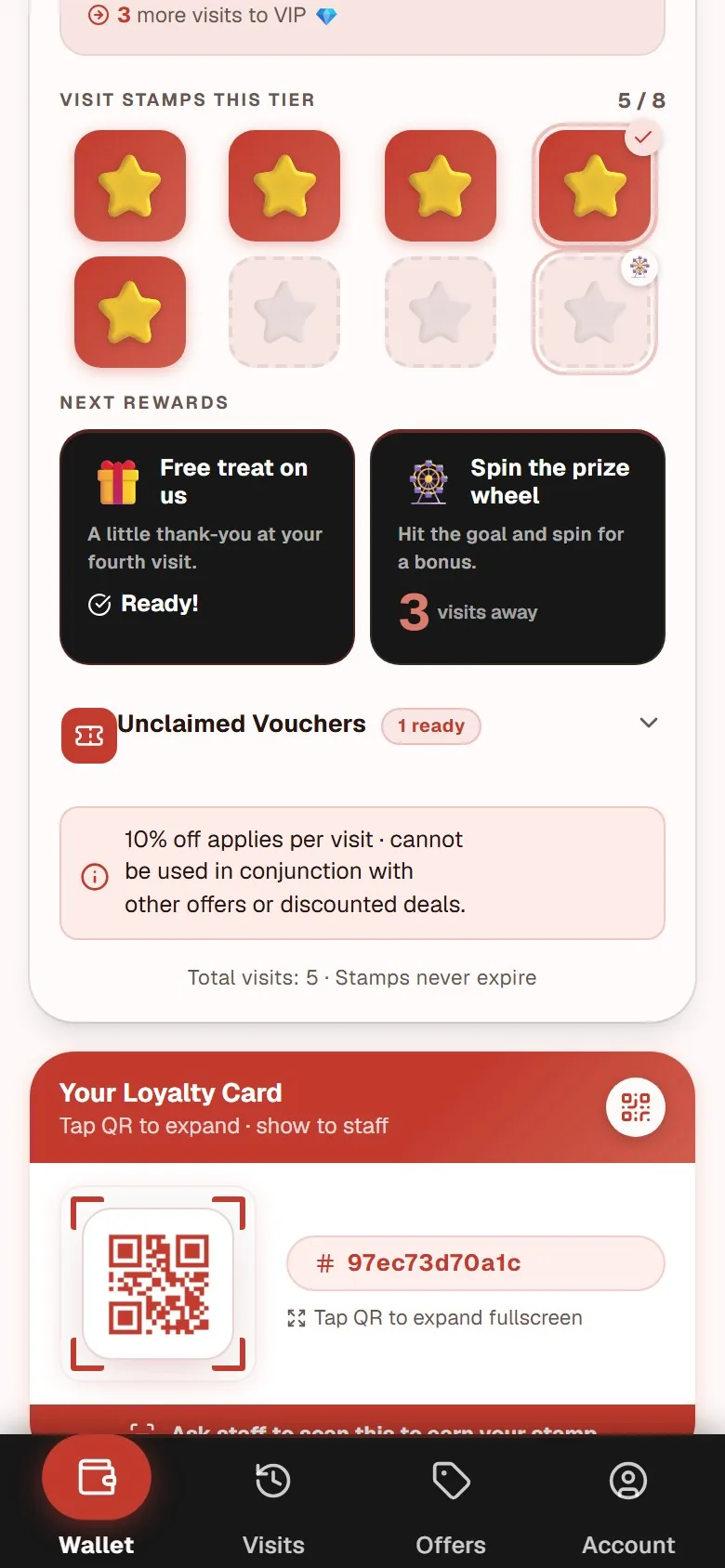
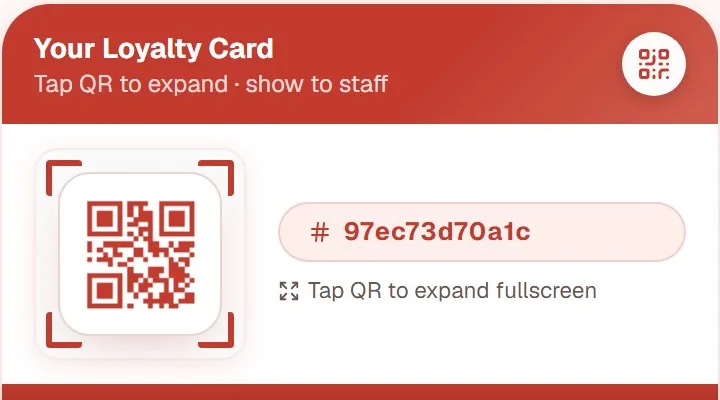
A browser-based loyalty card (often called a PWA, or progressive web app) lives in the phone's browser and opens via a QR code at your counter. The customer scans, enters their email address, and is enrolled. No app store download required, no Wallet setup, and no account creation outside the loyalty program itself.
On the next visit they scan the same QR code again, or use a home screen shortcut they added themselves. It looks and works like an app but requires no installation. Customers who prefer not to install anything can open it directly in the browser each time.
For a broader comparison that also covers paper stamp cards, see Loyalty club: physical card, app or web app?.
Advantages:
- A single QR scan is all the customer needs to do to enroll
- Works on any smartphone with a browser: iOS and Android handled in one system
- Design updates and content changes go live instantly for all customers at once
- Your brand is front and center on the customer's screen, not Apple's or Google's
- No dependency on third-party app store policies or API changes
Disadvantages:
- No automatic lock-screen notification based on GPS proximity
- Customer needs to remember the link or use a home screen shortcut (though stamp data is stored in a database, not the browser cache, so nothing is lost if they clear it)
The enrollment number that determines whether a program works
The most important variable in any loyalty program is not which features the platform supports, but how many of your customers actually enroll.
Imagine a café serving 80 guests a day. If enrollment requires a QR scan and two fields, a large share will complete it at the counter while their order is being prepared. If enrollment also requires opening the Wallet app, tapping "Add", and waiting for the pass to sync, that is a meaningful extra step, and the share who drop off before completing it rises noticeably.
Every additional step in an enrollment flow costs sign-ups in a way that is structural, not something you can compensate for through marketing afterward. For a focused look at what drives enrollment rates in practice, see Loyalty program sign-ups: 6 tactics at the counter.
Which format fits which business?
Browser-based PWA suits: Independent restaurants, cafés, salons, bakeries, and single-venue businesses that want a high sign-up rate with minimal technical setup. One system handles both iOS and Android. Design updates require no action from the customer.
Apple Wallet is more relevant for: Chains with technical infrastructure and the capacity to maintain two separate Wallet integrations (iOS and Android). It becomes worthwhile when passive lock-screen visibility is a high strategic priority and dedicated IT support is available to manage the integrations.
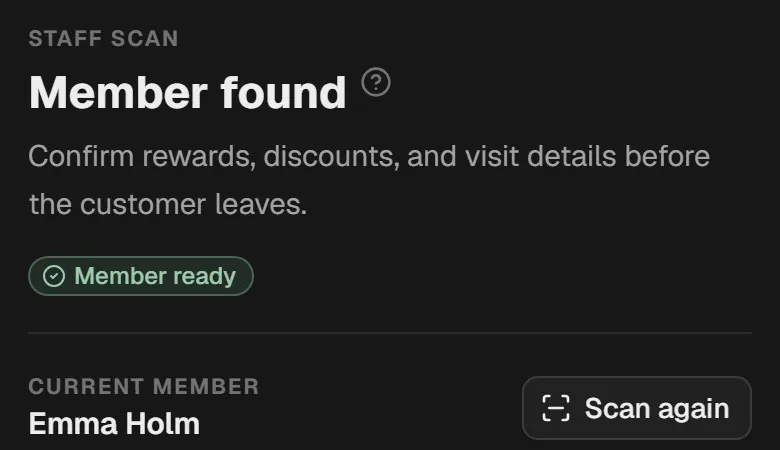
If you want to see what the browser-based customer experience looks like before committing to anything, the punch card app page shows both the customer view and the staff scan view together. For a complete overview of what a browser-based stamp card covers from the guest's first QR scan through to the owner dashboard, see the stamp card app page.
For a side-by-side look at what digital loyalty cards actually include across providers, see digital loyalty card: what it is and what it costs.
What the two formats cost
Apple Wallet integration is not a standalone product. It is a feature offered by certain loyalty platforms as part of a broader subscription, and pricing varies by provider.
A browser-based loyalty solution such as MightyLoyalty costs 99 DKK per month for Standard, approximately 13 EUR, or 249 DKK per month for Pro, approximately 33 EUR, per location, both excluding VAT. Both plans include unlimited members and unlimited stamping. No setup fee, no binding period, cancel from the portal at any time.
Frequently asked questions
Does MightyLoyalty support Apple Wallet?
No. MightyLoyalty is a browser-based PWA that opens via QR scan in the phone's browser, with no Wallet integration. That is a deliberate choice: enrollment friction is lower, maintenance is simpler, and you have full control over branding when everything runs in the browser rather than inside Apple's or Google's interface.
Do customers lose their stamps if they clear their browser cache?
No. Stamps are stored in a database, not in the browser cache. The cache speeds up page loading, but the stamp data itself is persistent. Customers log in with their email address and see their full history on any device and any browser.
Can a business run both a Wallet loyalty card and a browser-based one simultaneously?
Yes, technically, but it means maintaining two systems, two data sources, and two customer experiences in parallel. For most single-venue businesses that is unnecessary complexity. You get better results by committing to one format, implementing it consistently, and making sure your team mentions it at every transaction.