Digital coupons are offers a guest carries on their phone instead of on a slip of paper, redeemed at the counter with a scan. Paper coupons are cheap and instantly understood, but they leave no trail and they can be copied. This guide compares digital coupons vs paper coupons on what matters to a small café, restaurant or shop: control, cheating, timing and what you learn once the campaign is over.
What a coupon actually has to do
A coupon is a deal with a boundary. "10 percent off lunch on Tuesdays" or "buy two, get one free" only works while the boundary holds: the right day, the right guests, a sensible number of times. When it does not hold, the coupon quietly becomes a permanent discount you never decided to give.
So the useful question is not whether a coupon looks good. It is this:
- Can you decide when it applies?
- Can you decide who may use it, and how often?
- Can your staff see instantly whether it is valid?
- Can you see afterwards how many people used it?
Paper and digital answer those four questions very differently.
The paper coupon: easy to start, hard to control
Paper has honest strengths. It needs no system, every guest understands it, and you can drop it in a takeaway bag, leave it on tables or run it in a local paper. For a single campaign with a clear end date it can be perfectly fine.
The weaknesses show up while the campaign runs:
- It can be copied. A paper coupon is an image. It can be photographed, printed and shared in a neighbourhood Facebook group, and at the till a copy looks like the original.
- The rules live in your staff's heads. "One per customer" and "only between 2 and 4 pm" have to be remembered and enforced by whoever is on the till, usually at a busy moment. Most people say yes rather than have an awkward conversation.
- You never learn what happened. When it ends you have a drawer of collected coupons, if anyone remembered to keep them. You do not know who used them, or whether they ever came back.
That last one is the expensive part: a campaign you cannot measure is a campaign you cannot improve. The same point applies to cardboard stamp cards, which our comparison of digital and paper stamp cards covers in detail.
The digital coupon: the rules live in the system
A digital coupon moves the boundaries out of your staff's memory and into the software. In MightyLoyalty you create an offer in the owner portal and set three things:
- What the guest gets: a percentage or an amount off, a fixed price, buy one get one, a bundle, a free item, or bonus stamps.
- When it applies: start and end dates, and optionally specific weekdays and hours, such as Tuesdays and Wednesdays from 2 to 4 pm only.
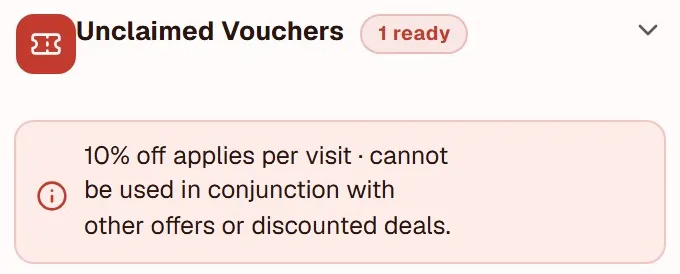
- Who, and how often: every member or only certain tiers, first visit only, an overall cap on redemptions, and a limit per guest per day, week or month.
The guest sees the offer in their web app even when it does not apply right now, with a note explaining why. That is deliberate: an offer that only works on Tuesday afternoons is worth most when a guest can plan a visit around it.
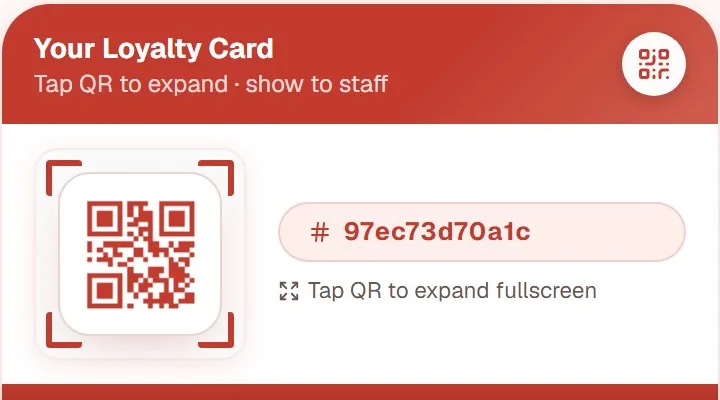
At the counter, staff scan the guest's card and see the offers that guest can use at that moment. The rules are checked again at the instant of redemption, so the same coupon cannot be used twice because two colleagues tapped at once. If a redemption is logged by mistake, it can be voided.
Offers are part of the Standard plan. Sending an offer out as a push message or email is an add-on on Standard and included in Pro.
Side by side
Here is the difference in one place. Everything in the right-hand column comes from the coupon being tied to a member rather than to a piece of paper.
Question | Paper | Digital |
|---|---|---|
| Can it be copied? | Yes, with a photo | No, it lives on the card |
| Who enforces the time window? | Your staff | The system |
| Limit per guest | Staff memory | Per day, week or month |
| Can you see who used it? | No | Yes |
| Can it be corrected after use? | No | Yes, it can be voided |
Cheating and copies
Most coupon abuse is not organised. It is a guest sharing a photo of the coupon with friends, or one coupon used three times in a week because nobody can remember it was already used.
A digital coupon belongs to the guest's membership, not to a picture. A screenshot of the offer does not create another coupon, and a once-a-week limit holds no matter who is on the till. It also removes the awkward moment: staff do not have to say no, because the screen simply shows the offer has already been used this week.
Several of the same safeguards apply to stamps. How to close those gaps is covered in loyalty program fraud prevention.
What you learn afterwards
The biggest difference arrives when the campaign is over. In the owner portal you see, for each offer, how many times it has been redeemed in total and in the last seven days, and how much it has given away in discounts. The redemption log shows who used it, when, and which staff member redeemed it.
That lets you ask the questions paper never could. Did the Tuesday coupon actually fill Tuesdays, or did guests use it on a visit they would have made anyway? Did the people who used it come back the following week? If not, change the offer or stop it. For ideas aimed at the hours that need help most, see how to fill quiet hours in a restaurant.
When paper still makes sense
Paper is not wrong. It earns its place when you want to reach people who are not members yet: a flyer through letterboxes on a new street, or a coupon in a local paper. A member coupon cannot reach them.
The best setup is often a mix. Use paper to find new guests and make it point to sign-up: a QR code on the flyer that leads to your program, where a welcome offer waits digitally. Paper does what it is good at, and control moves into the system the moment the guest is in.
The digital card that carries both stamps and offers is described in full on the stamp card app page.
Frequently asked questions
Does the guest need to download an app to use a digital coupon?
No. MightyLoyalty is a web app that opens in the browser. The guest joins by scanning a QR code and sees their offers in the same web app that holds their stamp card.
Can I limit a coupon to certain hours?
Yes. You choose the weekdays and hours, for example weekdays from 2 to 4 pm only. Outside that window the guest still sees the offer with a note on when it applies, and staff cannot redeem it.
What happens if the internet is down at the counter?
Redeeming an offer needs a connection, because the limits are checked at the moment the coupon is used. If the connection drops, staff wait until it is back rather than redeeming on guesswork.