A push notification is a short message that an app or web app sends directly to a user's screen, even when they have not opened it. For restaurants and cafes, it is one of the fastest ways to reach guests at the exact moment a decision is still open.
What is a push notification, and how does it work?
A push notification appears in the notification panel on a phone or computer without the guest actively opening your web app or website. They see it on their lock screen and can tap through directly to your loyalty program.
To receive notifications, a guest says yes once, usually at the point of signing up. After that, you have a direct line to them: no algorithm decides who sees what, and no impression fees apply.
In a loyalty platform, push is connected to your program. Messages go only to guests who are already registered and have consented to notifications. That separates it fundamentally from paid social advertising, where you pay to reach strangers. Here, you are writing to people who have already chosen to follow your restaurant.
Push notifications versus email and social media
Push, email, and social media all reach the same guest, but at very different moments and with different levels of attention.
An organic post on Facebook or Instagram is seen by only a fraction of your followers, because the algorithm limits organic reach without paid promotion. An email lands in the inbox but is often read at a moment far removed from a purchase decision. A push notification is the only channel that reaches the guest right now: the message appears on their screen, and they choose to act or dismiss it.
Email marketing for restaurants and push are not competitors. Email works well for planned campaigns and win-back messages. Push works well for real-time offers and quiet periods. The two channels complement each other naturally.
When push notifications actually work for restaurants
Push works best in three specific situations:
Real-time offers during quiet slots. A slow Tuesday morning with empty tables is the classic case. A message at 10:30 with an offer valid until 13:00 gives guests time to plan before the lunch hour. Quiet hours: targeted offers that fill your restaurant covers the broader approach to slow periods; push is the fastest trigger within it.
New menus and seasonal announcements. When you have just launched something new, push is the fastest channel to your most engaged guests. They signed up to your program because they like what you do: they should hear about it first.
Re-engaging guests who have drifted. A guest who has not visited in five weeks and needs two more stamps for a reward responds very differently to a personal notification than to a generic discount ad. Push lets you draw on what your loyalty program already knows about that specific person.
What to send and when
Timing matters as much as the message itself. A lunch promotion pushed at 14:30 lands after the decision is made. The same message at 11:00 is useful.
Three patterns that consistently work for restaurants:
- The lunch window: Send between 10:30 and 11:15 with an offer valid until 13:30. Guests have time to decide before they commit to a plan.
- The evening trigger: Send between 16:30 and 17:00 targeting guests on their way home who have not yet decided on dinner.
- Stamp reminders: A notification to guests one or two stamps away from a reward is personalised and has a clear call to action.
Keep the message short. A push notification is not an email: the guest sees it on their lock screen and has two or three seconds to decide. Under 60 characters in the message body is a useful target. A specific push beats a vague one every time: "Double stamps today until 14:00" outperforms "We have a great offer for you" in open rate.
What push notifications cost
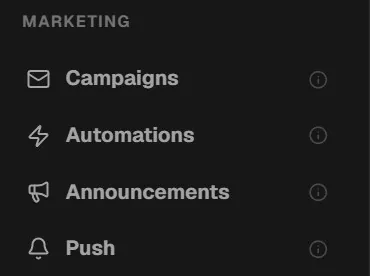
In MightyLoyalty, push and announcements are a marketing add-on on the Standard plan, from 19 DKK/month per feature. The Pro plan (249 DKK/month) includes all eight marketing features: push, email campaigns, automations, birthday notifications, referrals, streaks, guest feedback, and advanced analytics. No setup fee, no binding period, cancel in the portal at any time.
One important point: push in MightyLoyalty goes only to guests who have joined your restaurant loyalty program and consented to notifications. It is not a channel for reaching people who do not yet know you.
Measuring whether push notifications work
Two numbers matter when you evaluate a push campaign:
Open rate: The share of guests who tap the notification. An open rate above 12 to 15 per cent for a restaurant offer is a good sign. Below 5 per cent suggests the timing is off or the message lacks a specific reason to act.
Visits in the hours after sending: The real measure is whether push generates visits within four to eight hours. Guest data: your most underused marketing channel explains how to use your loyalty program's visit records to evaluate exactly this. The same data that shows you who to target also tells you whether the campaign worked.
Push as part of a bigger picture
Push notifications are one tool in a broader strategy, not a strategy on their own. They work well as a supplement to a loyalty program that already tracks guests and rewards. Without a base of signed-up guests to send to, there is very little to work with.
If you have already built a meaningful member base, push is the natural next step: reaching the right guests at the right moment, rather than hoping they happen to choose you on a quiet Wednesday evening.
Frequently asked questions
Do guests need to download an app to receive push notifications?
No. MightyLoyalty runs as a browser-based web app with no app download required. Guests receive push notifications directly through their phone's browser, exactly like a native app would send them. They give permission once at sign-up and can turn notifications off at any time in their browser or phone settings.
When is the best time to send a restaurant push notification?
It depends on your guest patterns, but 10:30 to 11:15 tends to work well for a lunch push and 16:30 to 17:00 for an evening push. Start with one send time, check how many visits follow in the next two hours, and adjust from there. Testing two times against each other over a few weeks is the most reliable way to find what fits your specific guests.
Are push notifications GDPR-compliant?
Yes, provided the guest explicitly consented to receive them. MightyLoyalty handles this consent in the sign-up flow. Guests can revoke it at any time by turning off notifications in their browser or phone settings, and your program automatically reflects who remains actively opted in.